
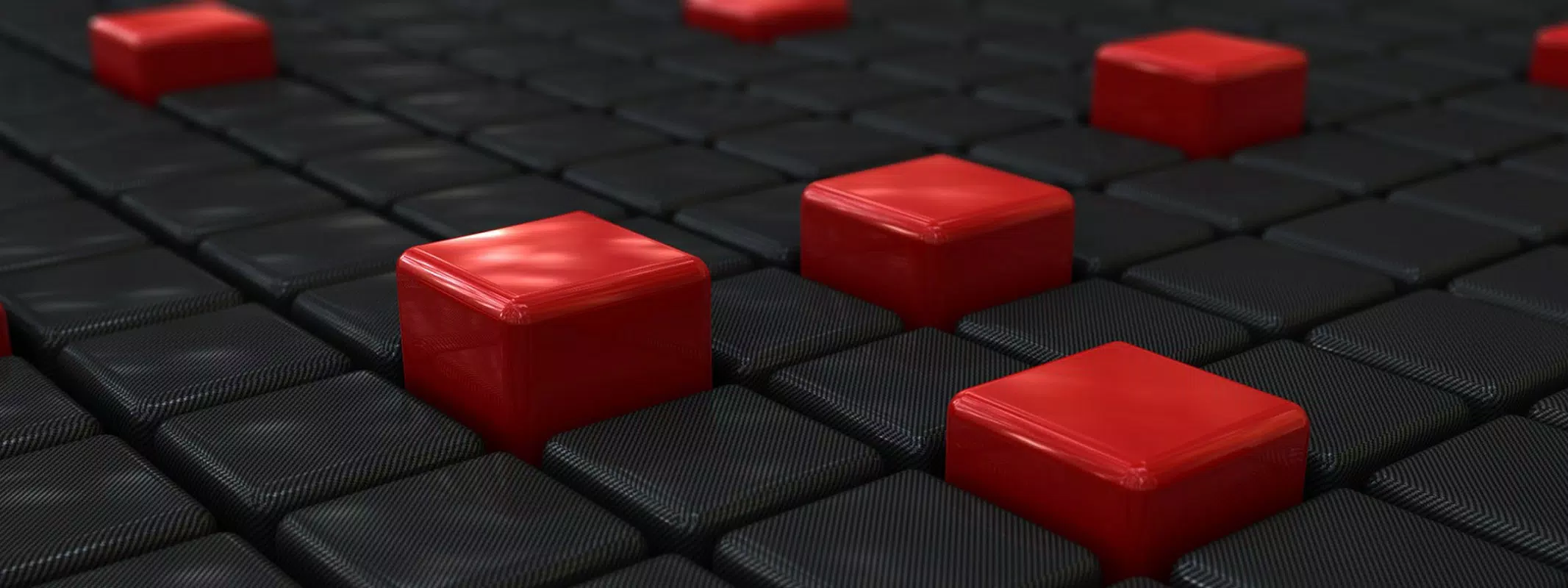



Download 3D Shapes Windows Theme – 3D Wallpapers, Dynamic Wallpaper, Desktop Customization
Overview
The 3D Shapes Windows Theme is a desktop customization tool designed to refresh and enhance the visual experience of Windows users. Its primary purpose is to provide a dynamic and engaging desktop environment through a rotating collection of high-resolution 3D images. This theme caters to users seeking variety and aesthetic appeal in their digital workspace, particularly those who enjoy changing their desktop backgrounds regularly. The application solves the common issue of visual monotony by introducing automatic wallpaper rotation, ensuring the desktop remains visually stimulating over time.
Target users include casual computer users, students, and professionals who value personalization without technical complexity. The theme is especially appealing to individuals who appreciate abstract art, geometric forms, and playful imagery such as dinosaurs and vehicles. It serves as a lightweight utility for users who want to elevate their desktop without installing heavy software or altering system settings. The theme’s presence in the Windows personalization ecosystem highlights the ongoing demand for simple, visually rich customization tools that enhance user engagement and satisfaction.
The developer, 3D Shapes Windows Theme, has not provided additional information about their background or history. However, the theme’s consistent availability since its release on October 17, 2012, suggests a stable and enduring presence in the niche of desktop customization. Real-world use cases include home office setups, creative workspaces, and personal computers used for leisure, where visual variety contributes to a more enjoyable computing experience. Despite its age, the theme remains relevant due to its core functionality and low system impact.
Key Features & Functionality
- High-Resolution Images: The theme includes 27 distinct high-resolution images, each optimized for clarity across various screen sizes. These visuals are free of watermarks, ensuring a clean and immersive desktop experience without distractions.
- Diverse Image Selection: The collection spans multiple themes, including abstract 3D shapes, dinosaurs, and vehicles like trucks. This broad range appeals to varied tastes and prevents visual fatigue, allowing users to explore different aesthetics.
- Dynamic Wallpaper Changes: A core feature is the automatic rotation of wallpapers at user-defined intervals. This functionality keeps the desktop fresh and engaging, ideal for users who dislike repetitive backgrounds.
- Easy Installation: The theme is designed for straightforward application. Users can install and activate it with minimal steps, making it accessible to users of all technical skill levels.
- Regular Updates: While specific update frequency is not disclosed, the developer has indicated potential for future content additions. This suggests ongoing support and the possibility of expanded image libraries over time.
For example, a user working from home might set the rotation interval to every 30 minutes, enjoying a new visual each time they return to their screen. A student preparing for a presentation could use the theme’s abstract shapes to inspire creativity. The seamless integration with Windows’ native theme system ensures that no additional software is required, preserving system performance.
Interface, UX & Performance
The 3D Shapes Windows Theme operates entirely through Windows’ built-in personalization settings, eliminating the need for a dedicated interface. This design choice reflects a focus on simplicity and compatibility. Users interact with the theme by selecting it from the desktop background options, where it appears as a standard wallpaper pack. The visual style is consistent with the theme’s name—vibrant, geometric, and digitally rendered in 3D, offering a modern and playful aesthetic.
Navigating the theme’s functionality is intuitive. Once installed, users can adjust the rotation interval through the standard Windows display settings. The workflow is streamlined, requiring no third-party tools or complex configurations. Although the developer did not list formal performance metrics, the theme’s file size of 3.2 MB suggests minimal system overhead. It is expected to run efficiently on a wide range of Windows devices, from older systems to modern machines.
Responsiveness is inherent in the system-level integration. The wallpaper changes occur smoothly without lag or visual artifacts. Stability is maintained through reliance on native Windows components, reducing the risk of crashes or conflicts. However, specific compatibility with older or newer Windows versions was not disclosed. The theme’s long-standing presence since 2012 indicates a degree of resilience across multiple OS updates, though users should verify compatibility with their current system.
Platform Compatibility & Technical Requirements
The 3D Shapes Windows Theme is designed for the Windows operating system. It is compatible with all major versions of Windows, including Windows 7, 8, 10, and 11, although specific version requirements were not listed by the developer. The application has a file size of 3.2 MB, which is compact and suitable for quick downloads and installations.
Since the theme integrates directly with Windows’ native personalization system, it does not require additional software or runtime dependencies. This enhances its accessibility and reduces the risk of installation errors. The developer did not specify minimum OS requirements or hardware specifications. As such, users should ensure their system supports standard desktop theme installations.
Pros and Cons
- Lightweight file size (3.2 MB) ensures fast installation and minimal storage usage
- High-resolution, watermark-free images provide a clean and professional visual experience
- Dynamic wallpaper rotation offers continuous visual variety without manual intervention
- Simple installation process makes it accessible to non-technical users
- Potential for future updates keeps the theme relevant over time
- Compatibility with specific Windows versions was not disclosed
- No official support or developer contact information provided
- Limited interactivity—no customization options beyond rotation interval
- Does not include audio or animated effects
- Theme is over a decade old, which may raise concerns about long-term support
FAQ
Is 3D Shapes Windows Theme safe to download and install?
Yes, the theme is free and designed to integrate with Windows’ native personalization system. It does not include malware or intrusive components. As with any third-party theme, users should download from trusted sources to ensure security.
Can I customize the rotation interval for wallpapers?
Yes, users can set the frequency of wallpaper changes through standard Windows display settings. The interval can be adjusted to suit personal preferences, such as every 15 minutes, 30 minutes, or hourly.
Does the theme work on Windows 11?
While the developer did not specify compatibility details, the theme is expected to function on Windows 11, as it relies on core Windows features that remain consistent across versions.
Is the theme available for macOS or Linux?
Currently, the 3D Shapes Windows Theme is only available for Windows. There is no official version for macOS or Linux systems.
Are there any ads or in-app purchases?
No, the theme is completely free and does not include advertisements or in-app purchases. It is a one-time download with no hidden costs.
Final Thoughts
The 3D Shapes Windows Theme stands out as a reliable, lightweight solution for users seeking visual refreshment on their desktops. Its blend of vibrant 3D imagery, automatic rotation, and ease of use makes it ideal for individuals who value personalization without complexity. While it lacks advanced features like animations or interactive elements, its core functionality remains effective and efficient.
Those who appreciate a dynamic, ever-changing desktop environment—especially students, creatives, and casual users—will find significant value in this tool. Its compact size and zero cost make it an accessible entry point into desktop customization. Despite its age, the theme continues to deliver consistent performance and aesthetic appeal.
Download 3D Shapes Windows Theme now


